The power of OpenSky is that your plan is always flexible. Flexibility matters because a brittle plan fails in one of two ways when life changes:
- It becomes frustrating and time consuming to update, which makes you less spontaneous in your homeschooling. That is a real loss, because homeschooling is supposed to be serendipitous.
- You abandon the plan altogether, which can cause anxiety.
OpenSky makes it easy to create your plan and just as easy to keep it up to date. Here are the main ways to handle day-to-day changes.
Move a single lesson
If a student does not complete a lesson for the day, just drag it to the next day.
You can drag events the same way. Dragging one day of a multi-day event moves just that day and leaves the rest of the span where it is.
The day menu
<!-- Screenshots below still show the previous design, where the whole date header opened the menu. The menu is now opened by a ⋯ button on the date heading; the options themselves are unchanged. -->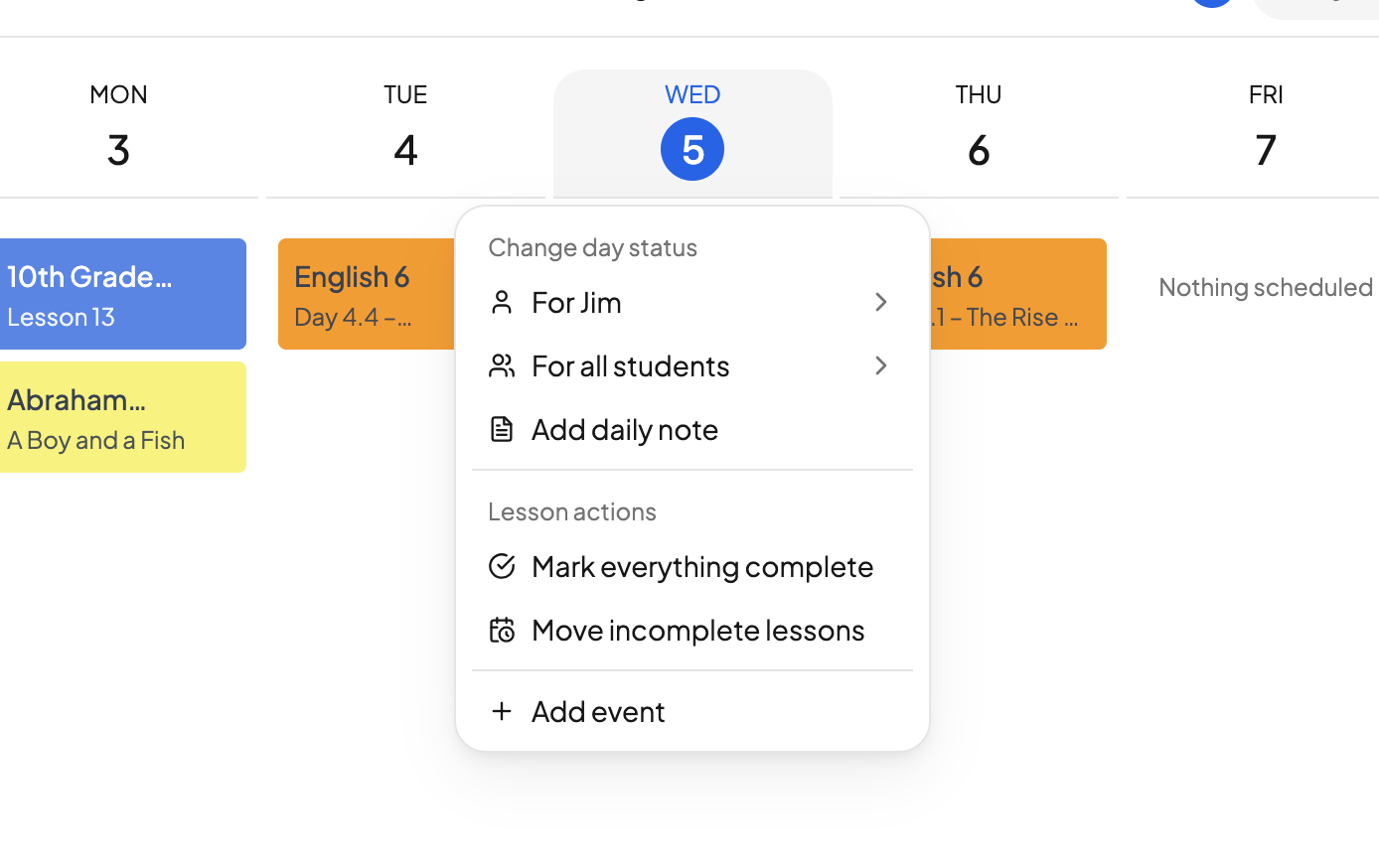
Hover over any date heading and click the ⋯ button to open that day's menu. On today's date the button is always showing; on a touch screen it is always showing too.
Under Lesson actions you will find two ways to clear a day:
- Mark everything complete — tick off everything scheduled that day at once.
- Move incomplete lessons — send whatever is unfinished to the next teaching day.
Choosing Move incomplete lessons asks you to confirm, and tells you exactly which day the work is going to. Lessons already scheduled on or after that day shift forward to make room, so nothing lands on top of anything else. Click Move lessons to go ahead.
The same menu also has Add daily note and Add event.
Replace a day's courses with an Event and count day towards attendance
Decided to learn from the zoo today? The beauty of homeschooling is that learning can happen outside of traditional coursework. Here's how you mark a day as Present, but move all your courses for that day.
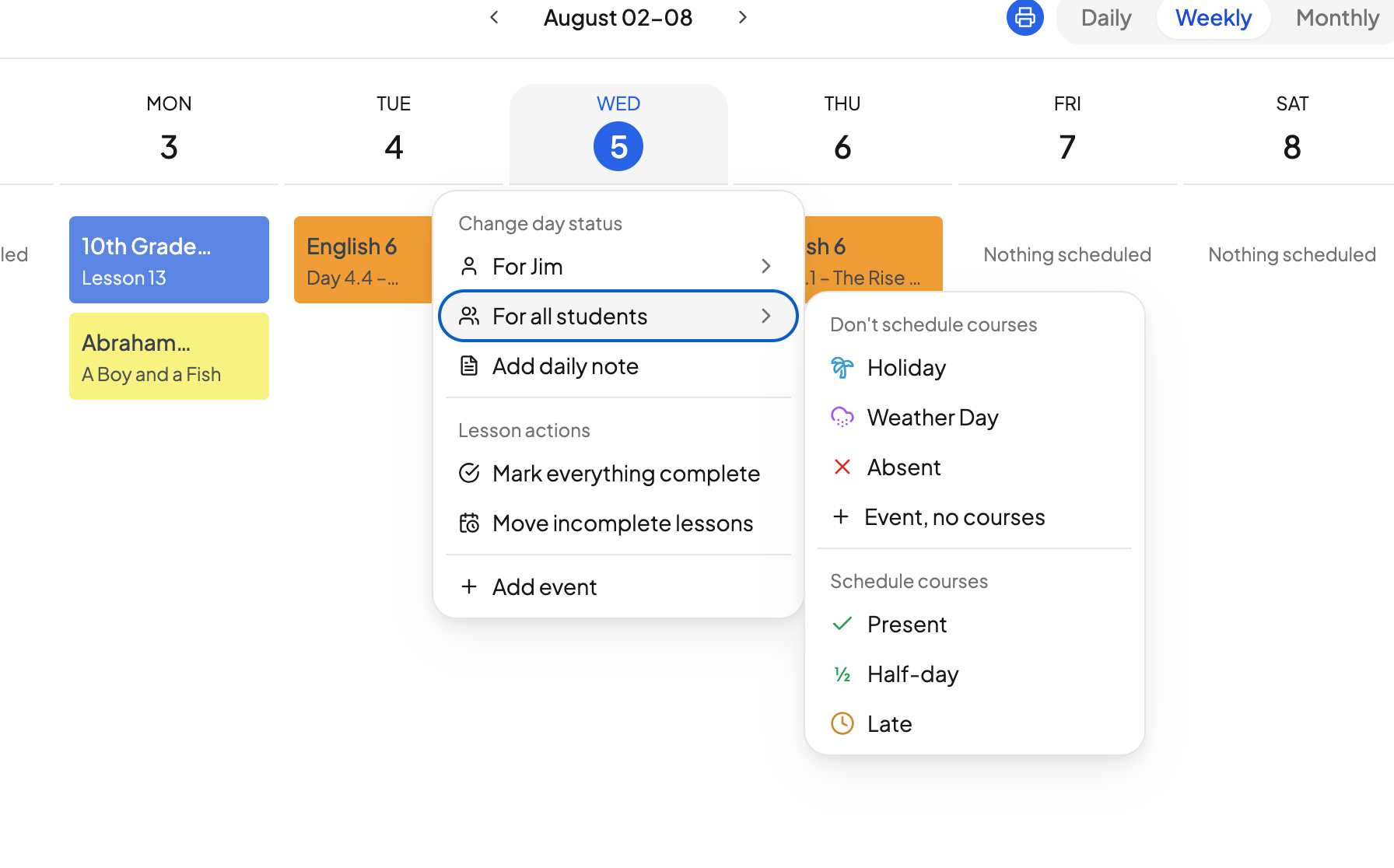
- Open the date's ⋯ menu, then Change day status → For all students.
- Select Event, no courses.
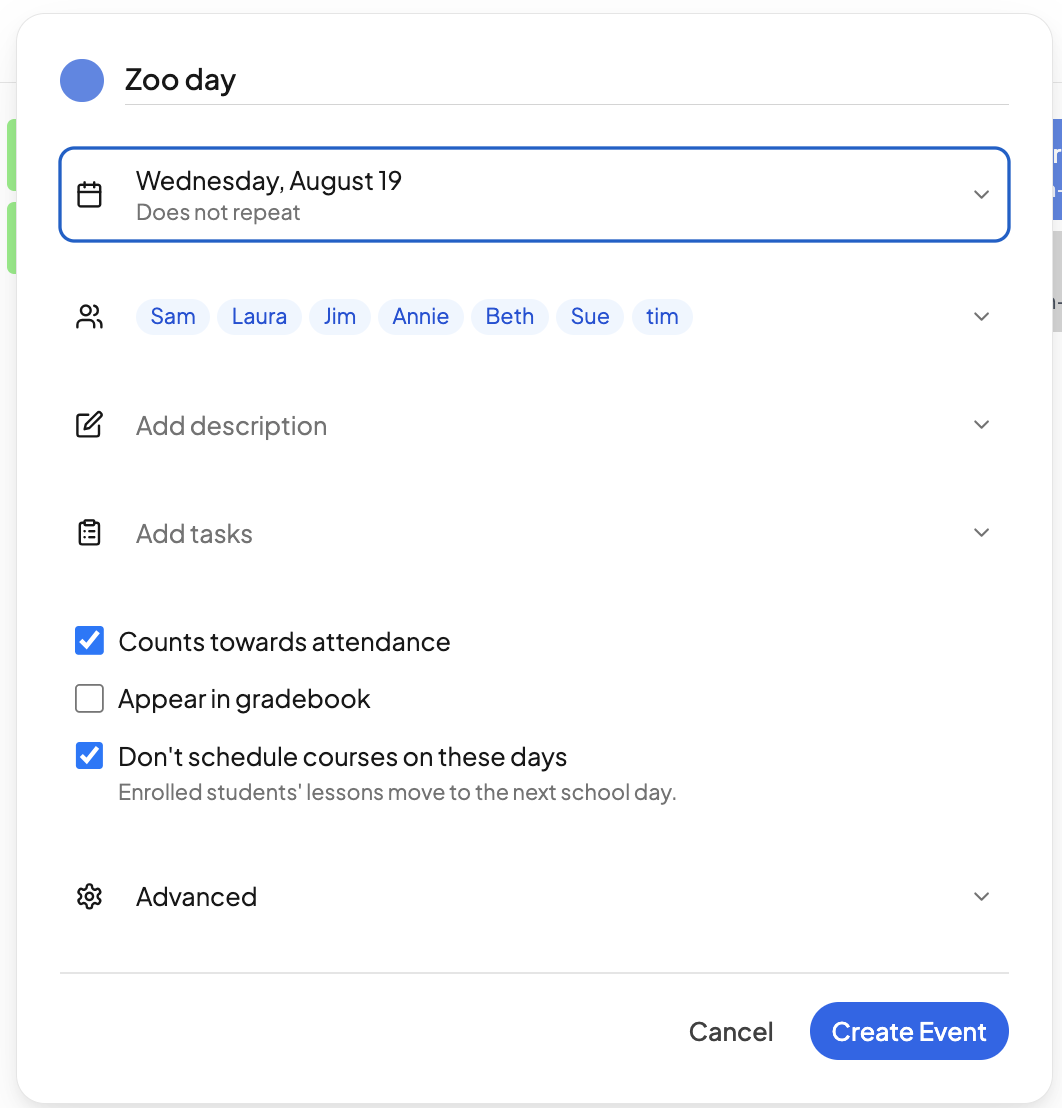
- Add the event, for example "Zoo."
- Adjust the list of people this applies to.
- Ensure "Don't schedule courses on this day" and "Counts towards attendance" are checked
OpenSky will automatically add the day off to the calendar and move everything accordingly.
Weather days and sick days
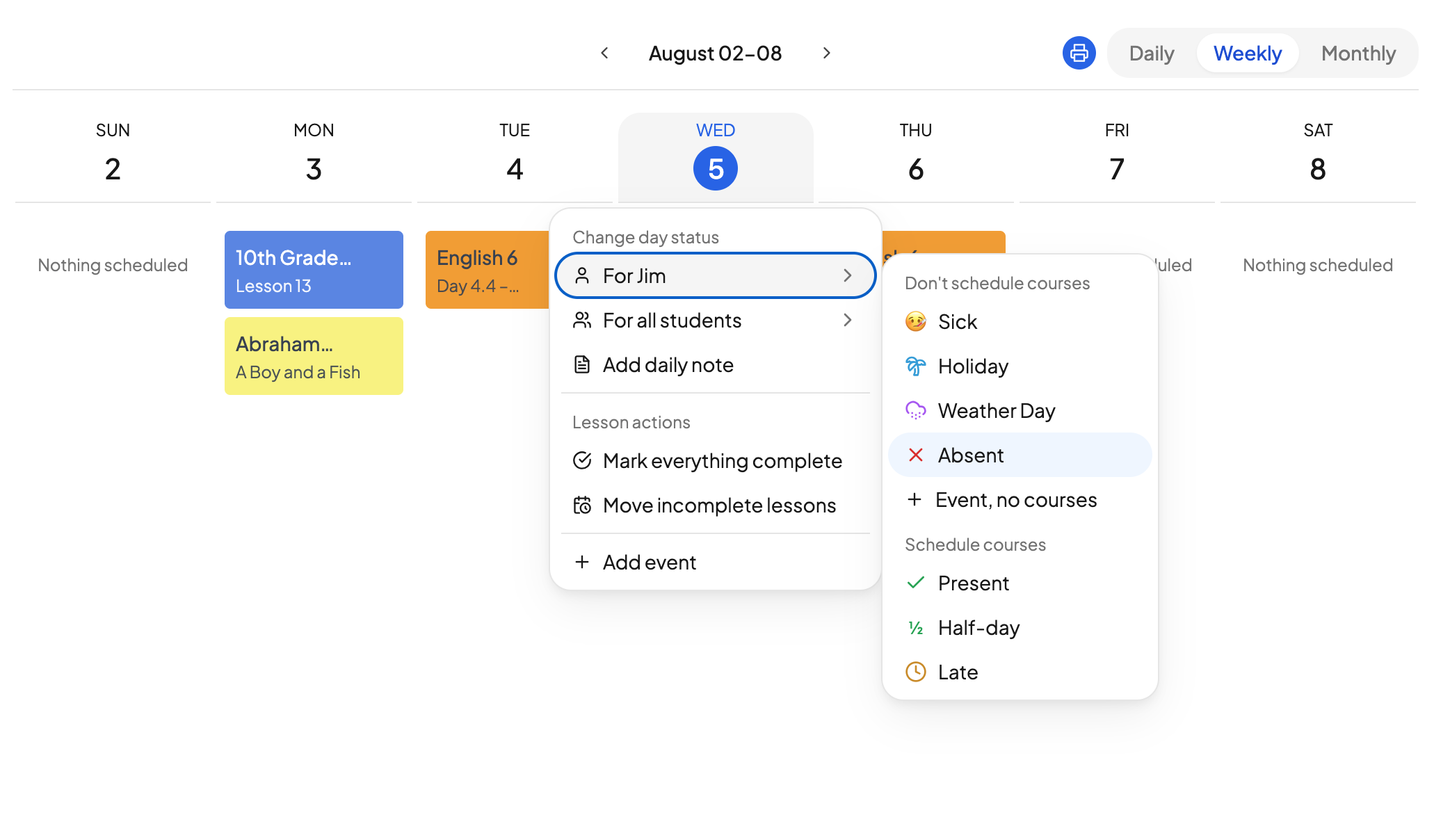
- Weather day. If it is a snow day and everyone is off, open the date's ⋯ menu and choose Change day status → For all students → Weather Day.
- Sick day. If just one student is sick, go to that student and choose Change day status → For <student> → Sick. Only their schedule is affected.
To hand a day back to OpenSky after you have set a status on it, use Reset to automatic or Restore as school day in the same menu.
OpenSky reschedules for you
Any time you move a lesson or take a day off, OpenSky automatically reschedules the entire course. You always know the progress you are making, what you still need to do, and where everybody is.
Need more help?
Reach out any time at support@openskyplanner.com and we will be happy to help.