OpenSky was built to increase student independence. When students wake up each day, they know exactly what to do and can get started on their own. Depending on your student's level of independence, you decide how much control they have in OpenSky.
Step 1: Give your student access
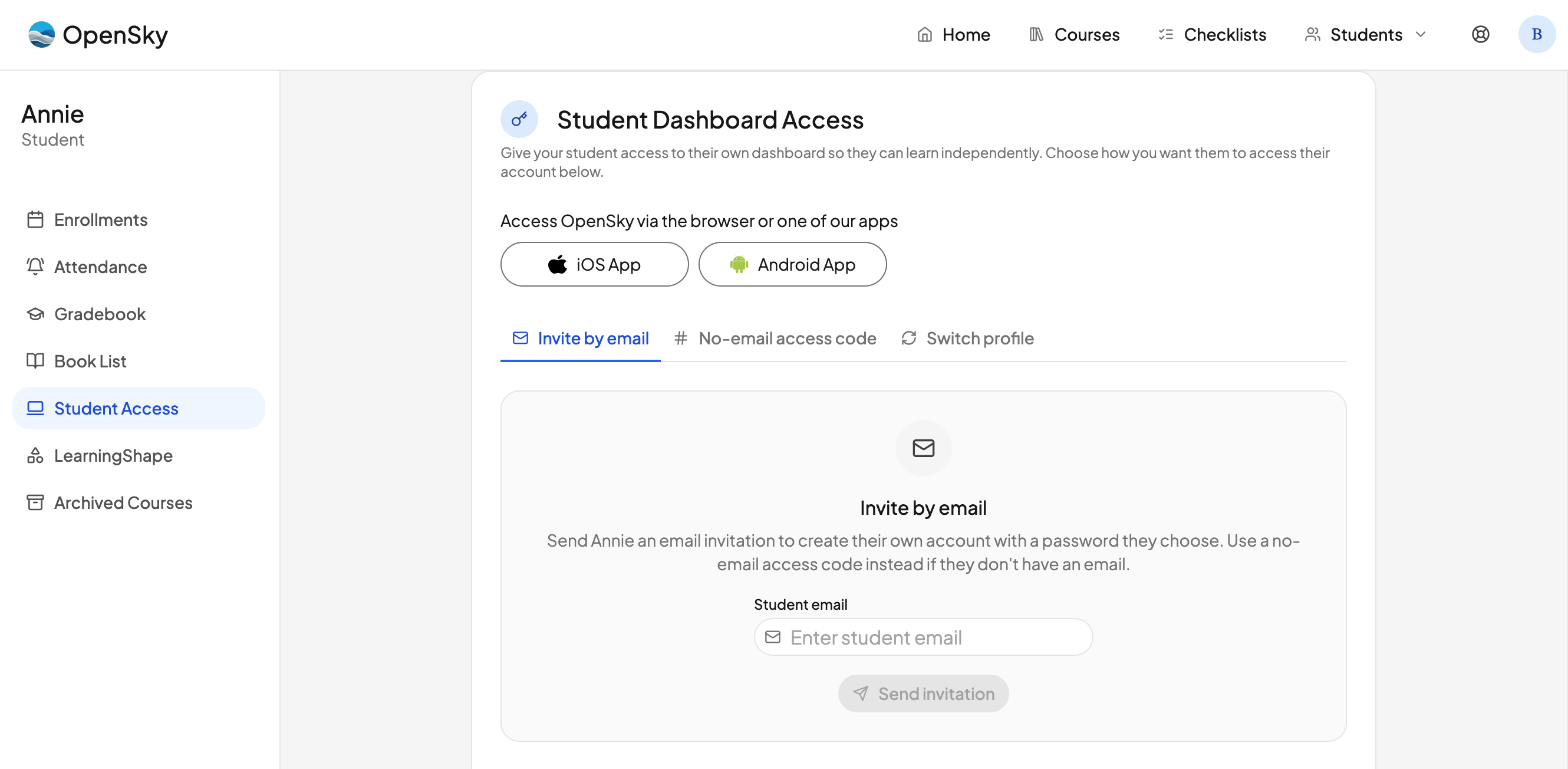
The first thing to do is give your student access to their student dashboard. Go to the student dashboard, then open Student Access. From there you have a few options:
- Download the app. There are links to download the iOS or Android app.
- Invite by email. Send your student an invite using their email address.
- Generate a no-email access code. This gives your student access to their dashboard without needing an email.
- Use Switch Profile on a shared device. If you share a device, click your profile icon in the top right of the nav and set up profile switching. You will create a global PIN that only the parent knows, which is used to switch between accounts.
Step 2: Set student permissions
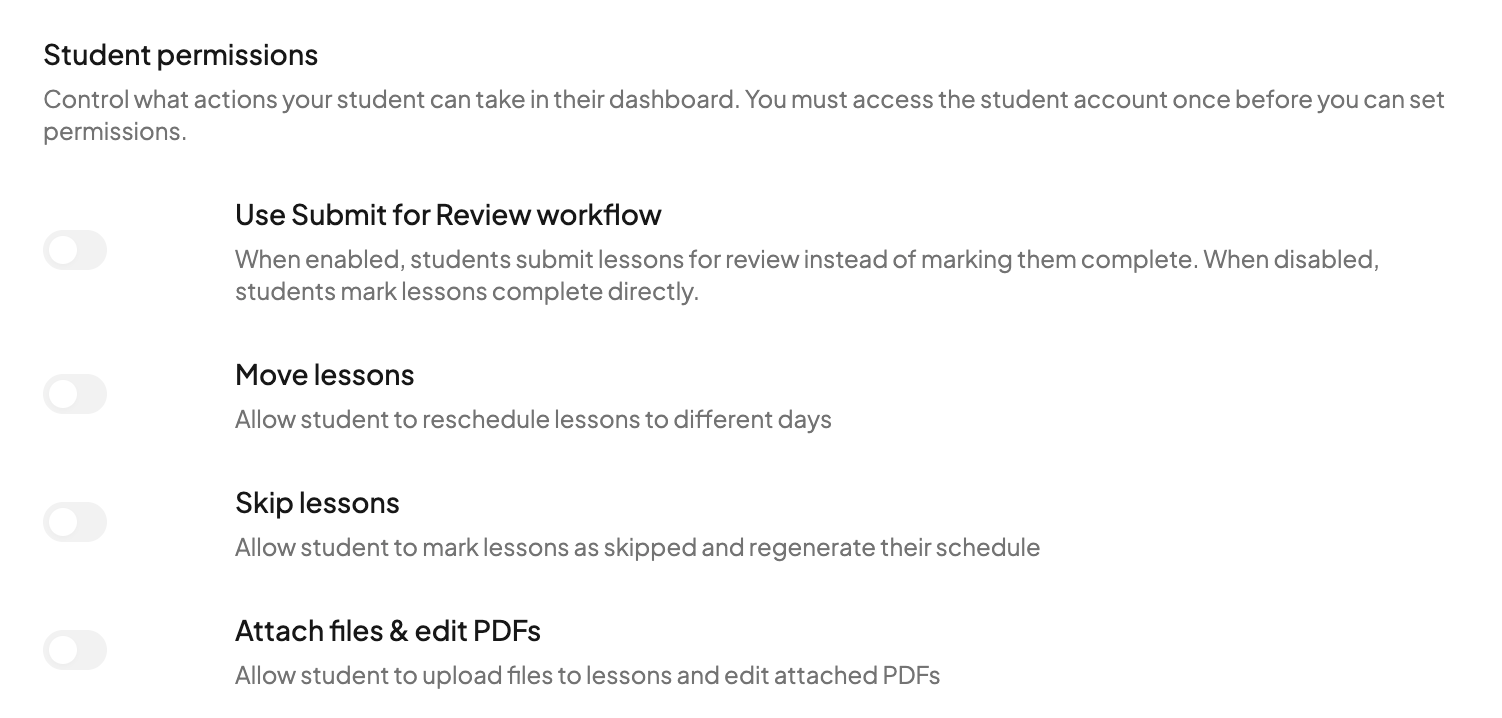
Below the access options, you will find a set of student permissions that let you match OpenSky to your student's independence level:
- Submit for review workflow. When this is on, a student does not mark lessons complete directly. Instead, they submit each lesson for review, which triggers an email alert to the parent. The parent can then review the work and either return it for revisions with a comment or mark it complete.
- Disable moving lessons. Prevent your student from rescheduling lessons.
- Disable skipping lessons. Prevent your student from skipping lessons.
- Disable attaching files. Prevent your student from attaching files to lessons.
Step 3: The student's daily checklist
<!-- Screenshot below still shows the previous checklist design. Students now open Today / Upcoming, and work is ticked off with the completion circle rather than the old hover action buttons. -->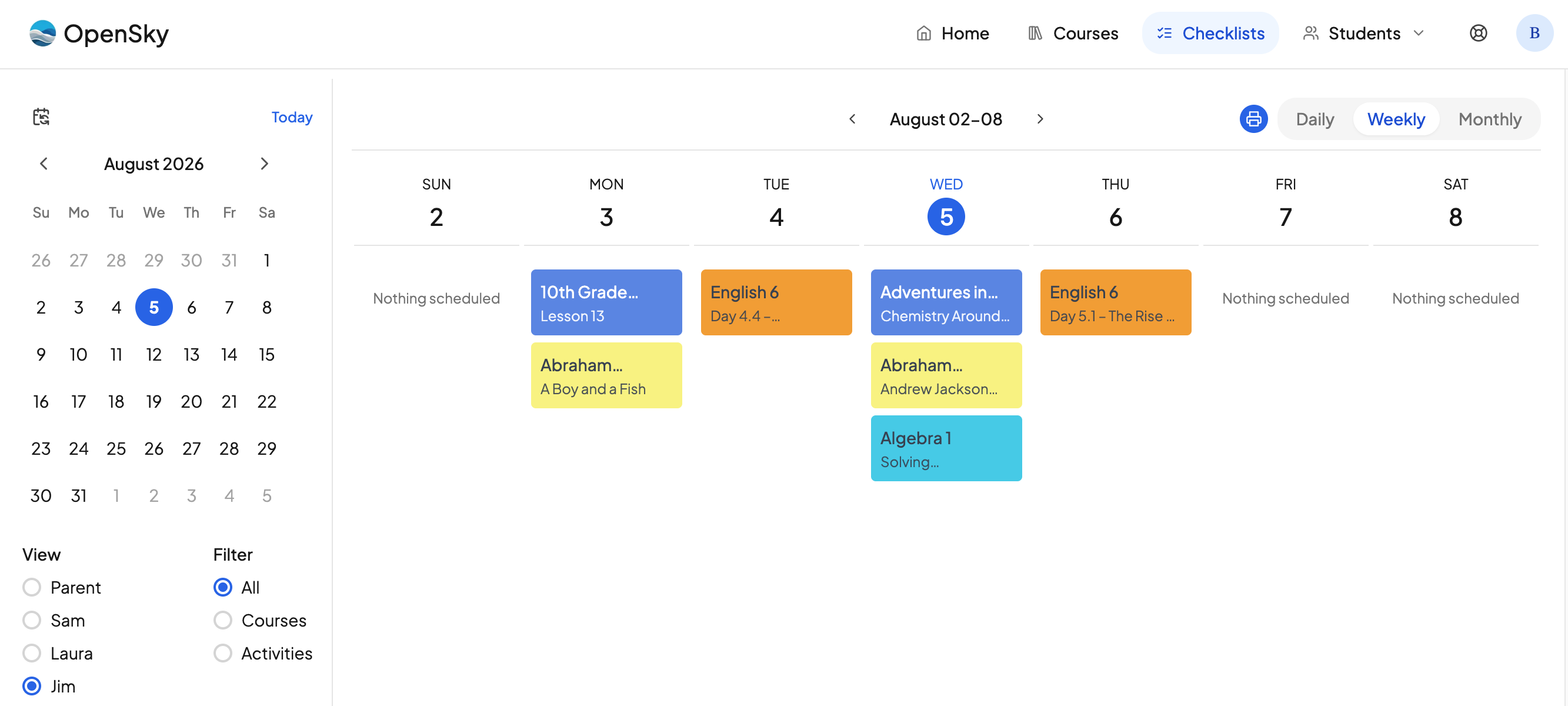
Students have two checklist pages, Today and Upcoming, in the nav — and in the bottom bar on a phone. Here is what a typical day looks like:
- The student opens Today and reviews what they have to do.
- They click on a lesson, which opens the lesson drawer. The drawer shows the course title, the lesson number, any directions the parent left, and any subtasks that must be checked off.
- They complete the work, click the circle on the left of the row to mark the lesson complete, and move on through the day.
Upcoming is there when they want to look ahead at the rest of the week.
The idea is that students can open OpenSky on their own, get started, and complete the lessons they need to. Having a clear routine and structure around opening OpenSky is a great way to build confidence and independence in a child.
For a fuller tour of the checklist, see Using Your Checklist.
Need more help?
Reach out any time at support@openskyplanner.com and we will be happy to help.