
Adjusting course grade weights
Change how much tests, quizzes, lessons, activities and labs each count toward a course grade.
Updated
A calculated course grade is a weighted average of the five lesson types. Unless you change them, tests count 40%, quizzes 25%, lessons 25%, activities 5% and labs 5%. Weights are set per course, so a math course can lean on tests while a literature course leans on lessons.
NOTE: Only courses can have grade weights, not activities.
Changing the weights#
- Open the student's Gradebook and click the gear on the course's row. You can also open Enrollments, click the … menu on the course and choose Course settings.
- On the Grading tab, click Category weights to expand it.
- Enter a percent for Tests, Quizzes, Lessons, Activities and Labs. The Total turns green when they add up to 100.
- Click Save Settings.
The course grade recalculates right away. The grades you entered on individual lessons do not change, only how they are combined.
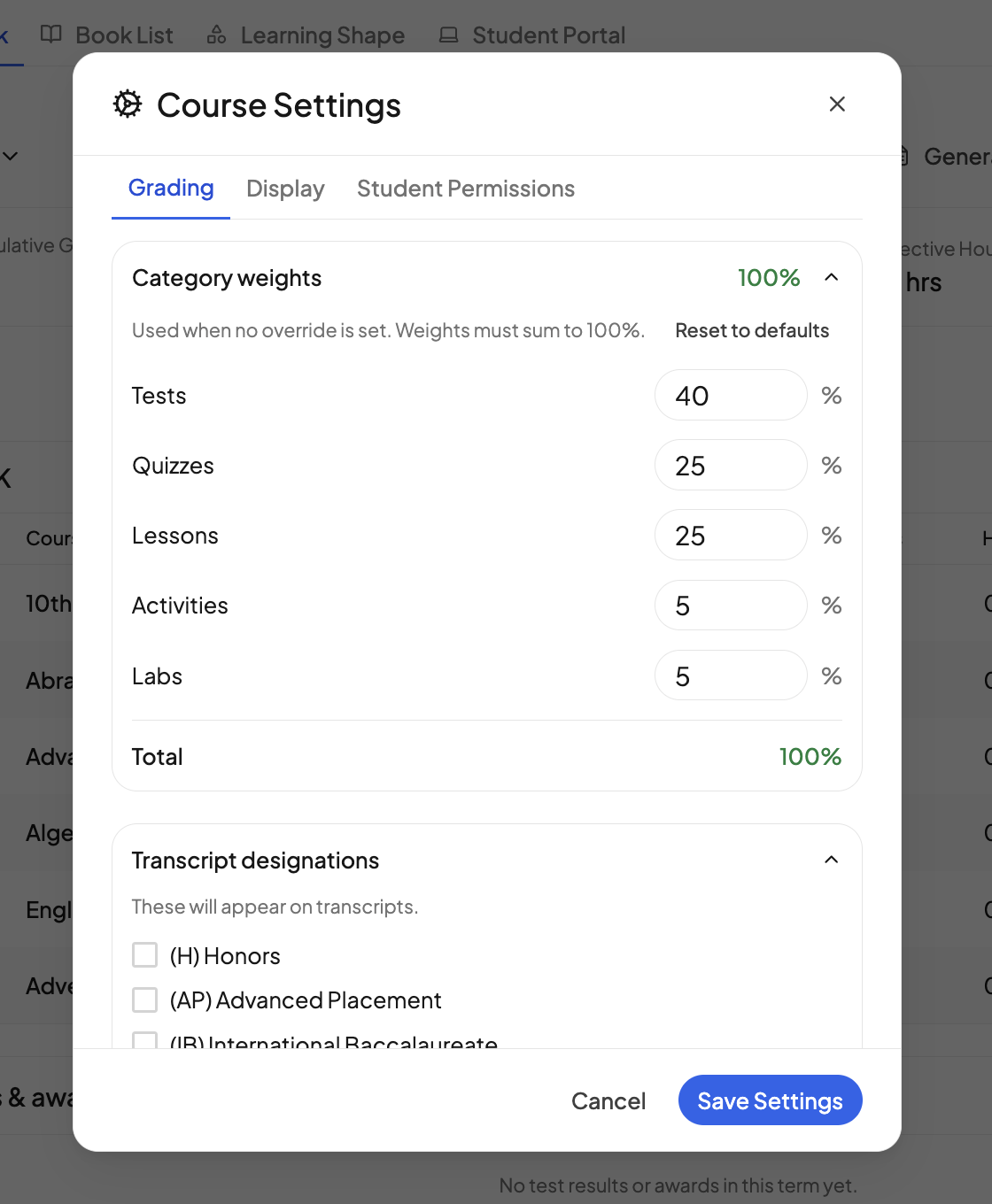
Reset to defaults puts the weights back to 40 / 25 / 25 / 5 / 5.
Which lessons fall in each category#
A lesson's category is its type: Lesson, Quiz, Test, Activity or Lab. Set it from the Lesson Type column in the gradebook's grading view, or from the Type picker in the lesson drawer. Changing a lesson's type moves its grade into the new category and recalculates the course grade.
How the math works#
Within a category, numeric lesson grades are averaged and every lesson counts equally. The category averages are then combined using the weights. A category with no graded lessons yet is left out and the other weights are scaled up to 100%, so leaving Labs at 5% in a course with no labs changes nothing. Pass / Fail and standards-based lesson grades are not part of the percent.
Weights cover the whole course, not one term, and they are ignored while Course grade override is on. See Grading styles.
Things to know#
- The weights must add up to 100. A blank box counts as 0, and at least one category must be above 0.
- Weights belong to the enrolled course. A new course starts on the defaults, even when it was built from a template you weighted before.
- In family mode, students enrolled in the same course share one set of weights.
- Activities added from the calendar have a single grade and no weights.
Can I make one test count more than another?
No. Every lesson in a category counts the same. If one exam should count more, give it a category of its own, such as making it the only Test and moving the rest to Quizzes.
Can I change the letter grade scale?
Not yet. Letters follow a fixed scale: A at 90 and above, B at 80, C at 70, D at 60, F below that.
Need more help?#
Reach out any time at support@openskyplanner.com and we will be happy to help.