
Parent profile
Set up your own profile as the parent or teacher running the homeschool.
Updated
Your profile is you as the teacher: your name, photo, background and qualifications. It appears in the sidebar and profile switcher, and it fills the Teacher Profile section of a generated portfolio.
Editing your profile#
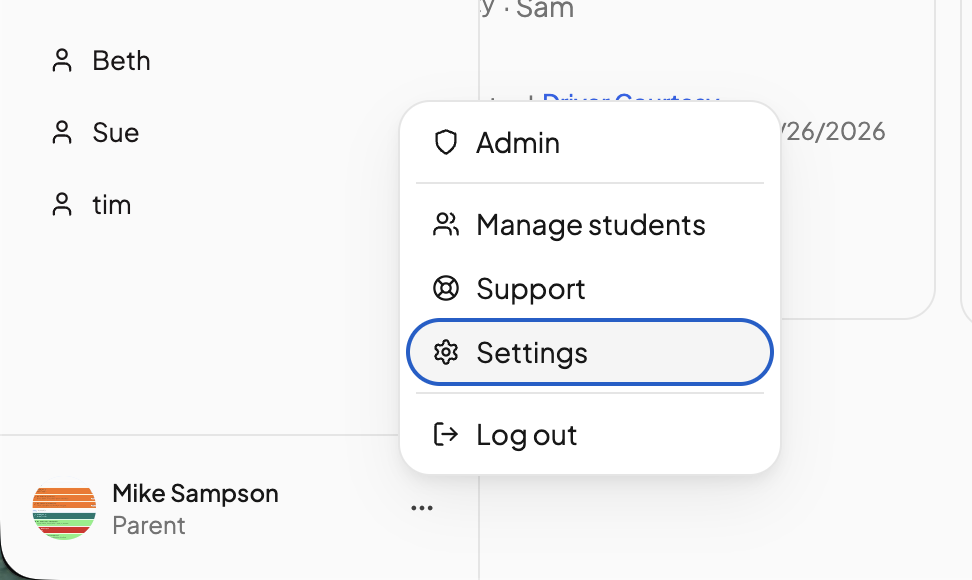
- Click the three dots '...' near your profile icon and go to Settings.
- You'll land on the first page called My Profile.
- Click Edit profile
- Make your changes and click Save changes.
What you can fill in#
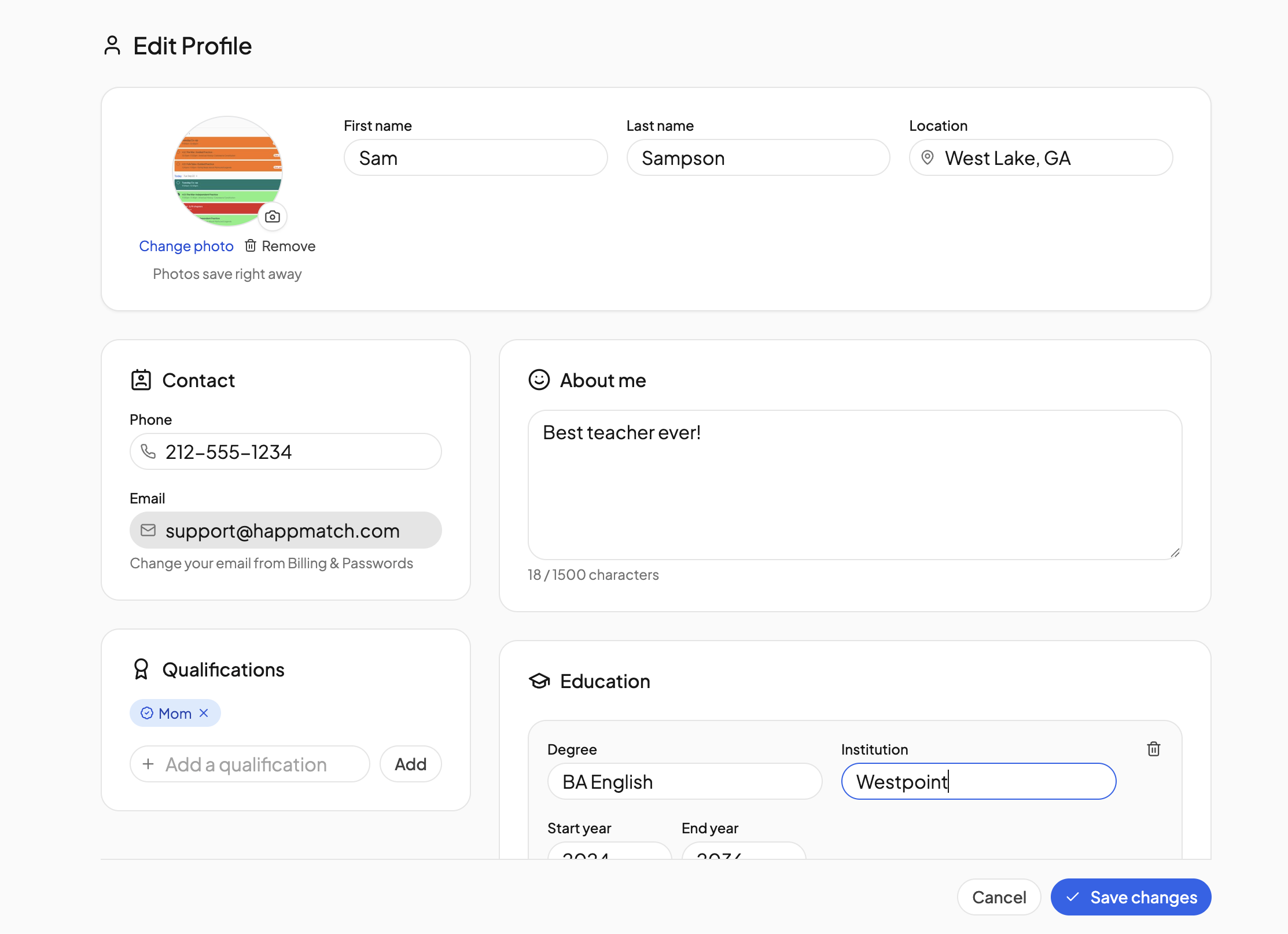
- First name, Last name and Location. Your first and last name together are the name OpenSky shows for you everywhere.
- Photo — click Add photo or Change photo. PNG, JPG or WEBP up to 5 MB. Photos save as soon as you pick them, so Cancel does not undo a photo change.
- Contact — your Phone. Your email is shown here but cannot be edited on this page.
- Qualifications — short credentials, up to 12.
- About me — a short introduction. It opens the Teacher Profile page of a portfolio.
- Education — Degree, Institution, Start year and End year. Leave the end year blank and it shows as Present. Up to 10 entries.
Nothing here is required. Lessons, the checklist and the gradebook all work with an empty profile. These details exist so your records can describe you without retyping.
Other parents#
Each parent in your homeschool has their own profile and edits it themselves. If you have invited another parent, a portfolio can include either or both of you.
Details about the school itself, such as its name, address and philosophy, live on the School profile.
Need more help?#
Reach out any time at support@openskyplanner.com and we will be happy to help.