
Account
Notification settings
Choose which emails, push alerts and in-app notifications your household receives.
Updated
OpenSky can tell you when a student submits work, leaves a comment, or finishes a lesson, and tell students when you return work or reply. Each person in the household has their own settings.
Changing notifications#
- Click the three dots "..." near your profile icon and go to Settings, then Notifications in the left nav.
- Under Notification settings for, pick the person. Parents can edit anyone in the household; students see only themselves.
- Turn events and delivery methods on or off.
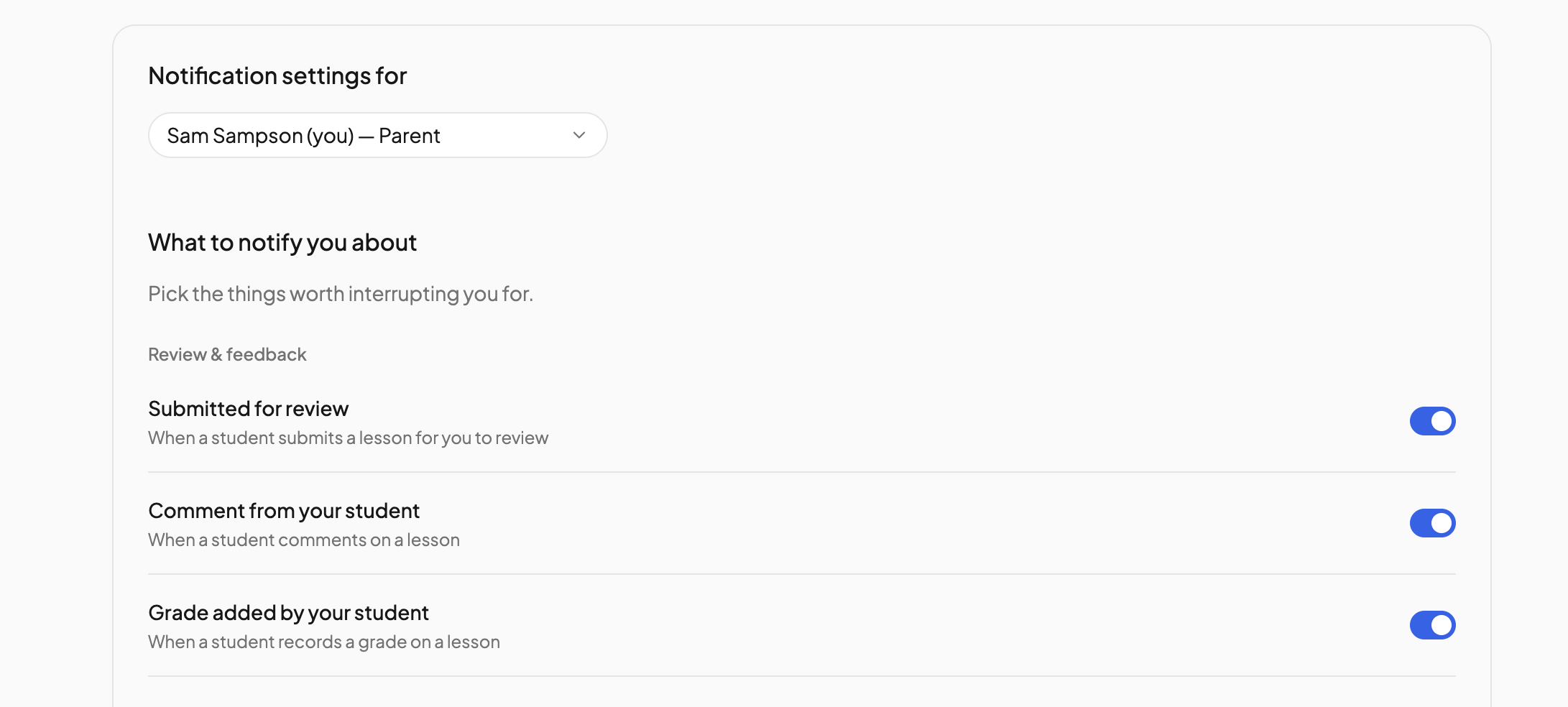
What to notify you about#
For a parent:
- Review & feedback — Submitted for review, Comment from your student, Grade added by your student. On by default.
- Progress updates — Lesson completed, Lesson skipped, Moved back to pending, File uploaded. Off by default.
For a student:
- Returned for revision, Comment from your parent and Grade added are on by default. File uploaded is off.
How to notify you#
These apply to everything turned on above:
- Email — sent to your inbox.
- In-app — shown in the notification bell on the checklist.
- Push — sent to your phone through the OpenSky app. Push is set up from inside the app: open this page there and tap Turn on push for this device. If push is off at the device level, the page says so.
All three start on. If you turn all three off, OpenSky warns you that nothing will be delivered.
Marketing#
Product news & tips controls whether you get OpenSky's occasional product emails. It appears only on your own settings.
Things to know#
- Students who sign in with a one-time code have no email address, so their Email option shows Unavailable. In-app and push still work.
- Only students with their own sign-in appear in the person picker. See Manage students.
- A parent can hide the notification bell from a student entirely with the Notification bell switch in the student's portal settings. See Permissions.
Need more help?#
Reach out any time at support@openskyplanner.com and we will be happy to help.