
Overdue lessons
What happens to lessons that were not completed on their day, and how to catch up.
Updated
A lesson still unfinished after its scheduled day becomes Overdue. It stays on its original date and the rest of the course keeps its dates, so nothing slides on its own. Catching up is your call: do the lesson, move it, or skip it.
Where overdue lessons show#
Today and Upcoming open with an Overdue section, oldest first, which disappears when nothing is late. In the student's Enrollments tab the course shows an Overdue lessons status, each late lesson carries an Overdue badge, and the earliest reads First Overdue Lesson. A weekly lesson is not late until its week has passed, and it stays in that week.
Catching up everything at once#
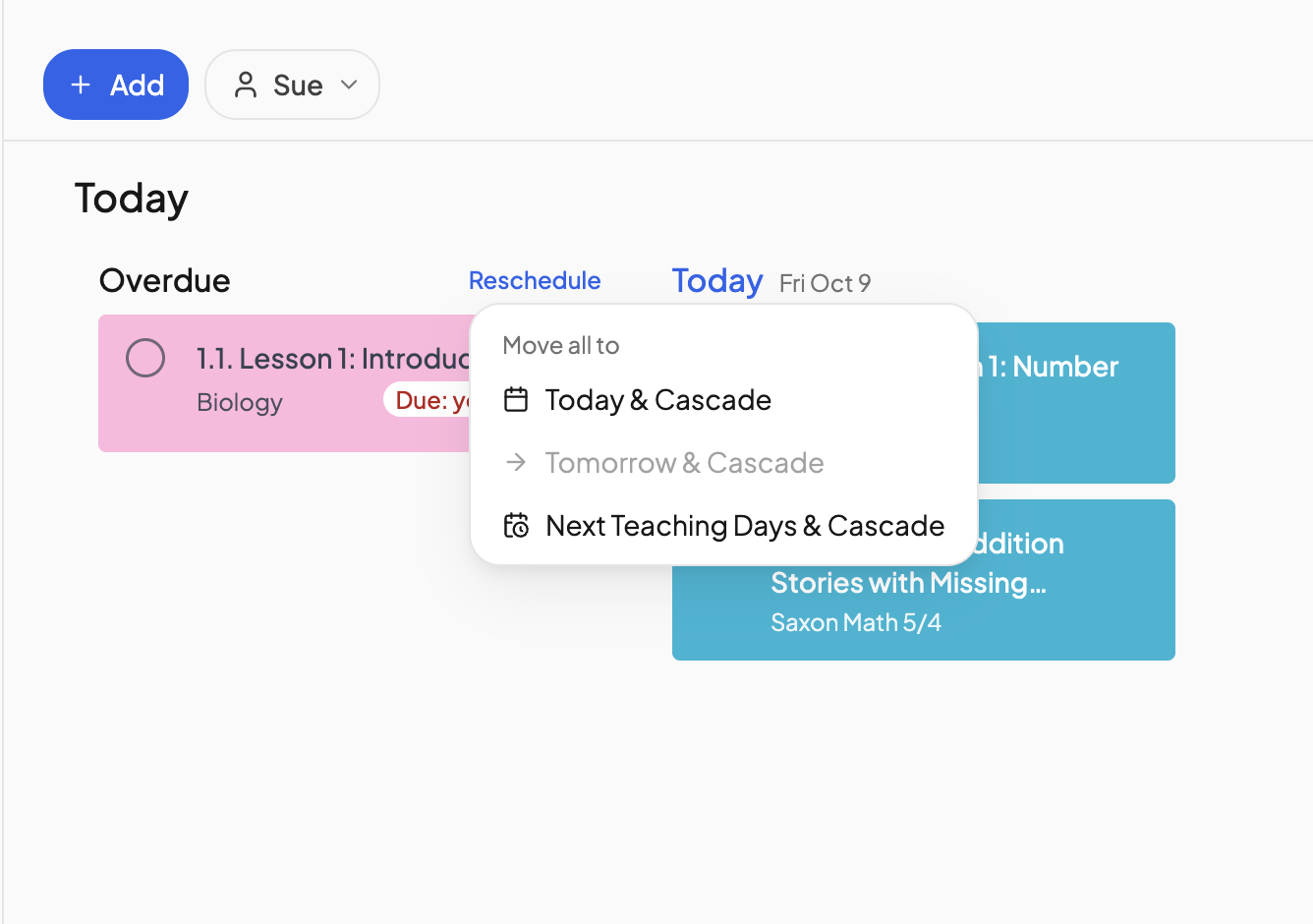
- On Today, click Reschedule beside the Overdue heading.
- Under Move all to, choose Today & Cascade, Tomorrow & Cascade or Next Teaching Days & Cascade. A day that is not a school day is greyed out.
- Reschedule overdue lessons lists each course and the day it picks up. Click Reschedule lessons.
Each course's earliest overdue lesson lands on that day and the course continues at its usual pace; lessons already scheduled on or after it shift forward. Overdue activities stay where they are.
Catching up one lesson#
- Drag the card to another day, or right-click it and choose Move to. Tomorrow means tomorrow, not the day after its original date. See Moving a lesson.
- In the Enrollments tab, the first overdue lesson has a Move up button offering Next teaching day or a Custom date; later lessons shift to follow.
- Open the lesson and click Skip if it is not going to happen.
Catching up a whole day#
Hover over a date heading on Today or Upcoming and click the gear icon. Under Lesson actions, Move incomplete lessons sends the day's unfinished lessons to the next teaching day and Mark everything complete ticks them all off. Done at the end of the day, this keeps lessons from going overdue at all.
Far behind?#
Use Move to be next lesson on the lesson the student is actually up to: everything before it is marked complete and the course re-plans from there. See Scheduling a course that started already.
Frequently asked questions#
Do overdue lessons push the rest of the course back?
No. Later lessons keep their dates until you move something. A cascade move is what shifts them.
Why is a course overdue after I paused it?
Resuming restores the schedule exactly as it was, so lessons dated during the pause come back overdue. Use Reschedule to move them forward. See Pausing a course.
Need more help?#
Reach out any time at support@openskyplanner.com and we will be happy to help.